

Comment utiliser nos codes promo ?
Découvrez comment utiliser nos codes promotionnelles, nous vous expliquons en plusieurs étapes
Étape 1 - ajouter votre produit au panier
Parcourez notre catalogue et ajoutez les quatre produits que vous souhaitez acheter à votre panier.

Étape 2 - Vérifier et commander vos 4 produits
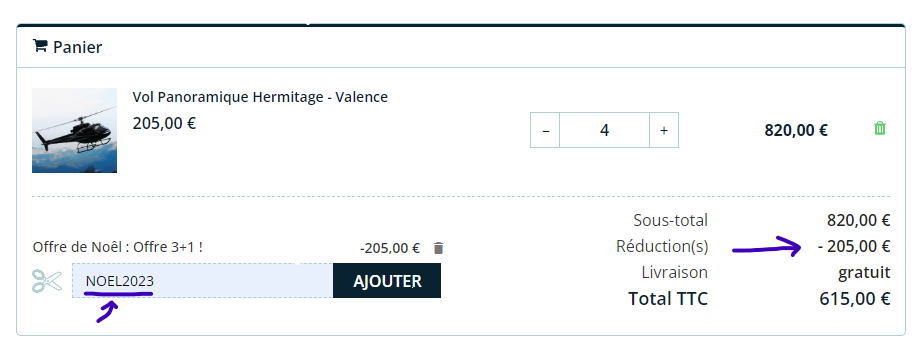
Cliquez sur l'icône du panier en haut à droite de la page pour accéder à votre panier. Assurez-vous que les quatre produits que vous avez sélectionnés sont présents et identiques. Puis cliquez sur Commander

Étape 3 - Appliquez le code promo
Sur la page du panier, recherchez la section "Code promo" ou "Réduction". Entrez le code promo NOEL2023 et bénéficier de l'offre 3+1 (4 achetés = 1 offert).